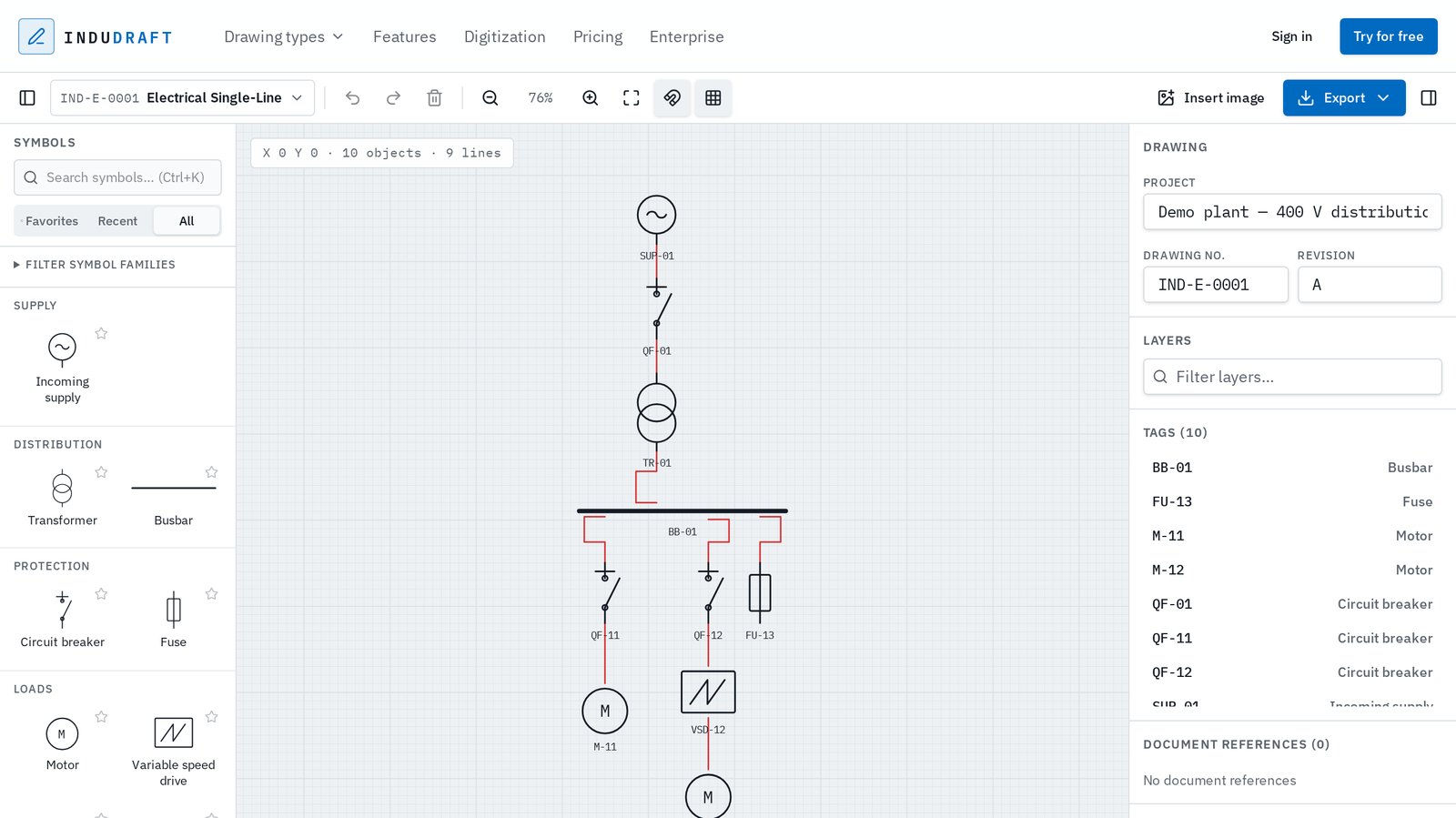
What a single line diagram shows
A single line diagram (SLD), also called a one-line diagram, is the overview drawing of an electrical system. Instead of drawing three phases and neutral, one line represents the circuit. The drawing answers three questions: where does power come from, how is it transformed and protected, and which loads does it feed.
It is not a wiring diagram. Terminal numbers, control circuits and cable cores belong on schematics and wiring diagrams; the SLD stays at system level so it can be read at a glance.
Step by step
- Start with the supply at the top. Draw the utility incomer or generator. Note voltage and, if known, the available fault level.
- Add the transformer. Place it below the supply and label rating, voltages and vector group, for example 1000 kVA, 11/0.4 kV, Dyn11.
- Draw the main busbar. A horizontal bar that every outgoing feeder connects to. Give it a name and voltage, for example MDB-1, 400 V.
- Add protection on each feeder. Place a circuit breaker or fuse between the busbar and each load, with its tag and rating.
- Connect the loads. Motors, drives, sub-distribution boards and other consumers go at the bottom. Tag each one so it matches the equipment list.
- Check and issue. Follow the power path from supply to every load, check that tags are unique, fill in the title block and export to PDF or DWG.
Tips for a readable SLD
Let power flow top to bottom, keep busbars horizontal and feeders vertical, and space feeders evenly. Use one symbol convention throughout the drawing (IEC 60617 or IEEE/ANSI) and put ratings next to the symbol rather than in separate notes.
An SLD drawing is documentation. Cable sizing, load flow, short-circuit and protection-coordination studies need dedicated calculation tools and an engineer's review.
Open this example in the editor
An example single line diagram with supply, transformer, busbar, breakers and motors opens in your browser. Change tags, add feeders and export. No account needed.
Open example SLD →More about the editor: single line diagram software.