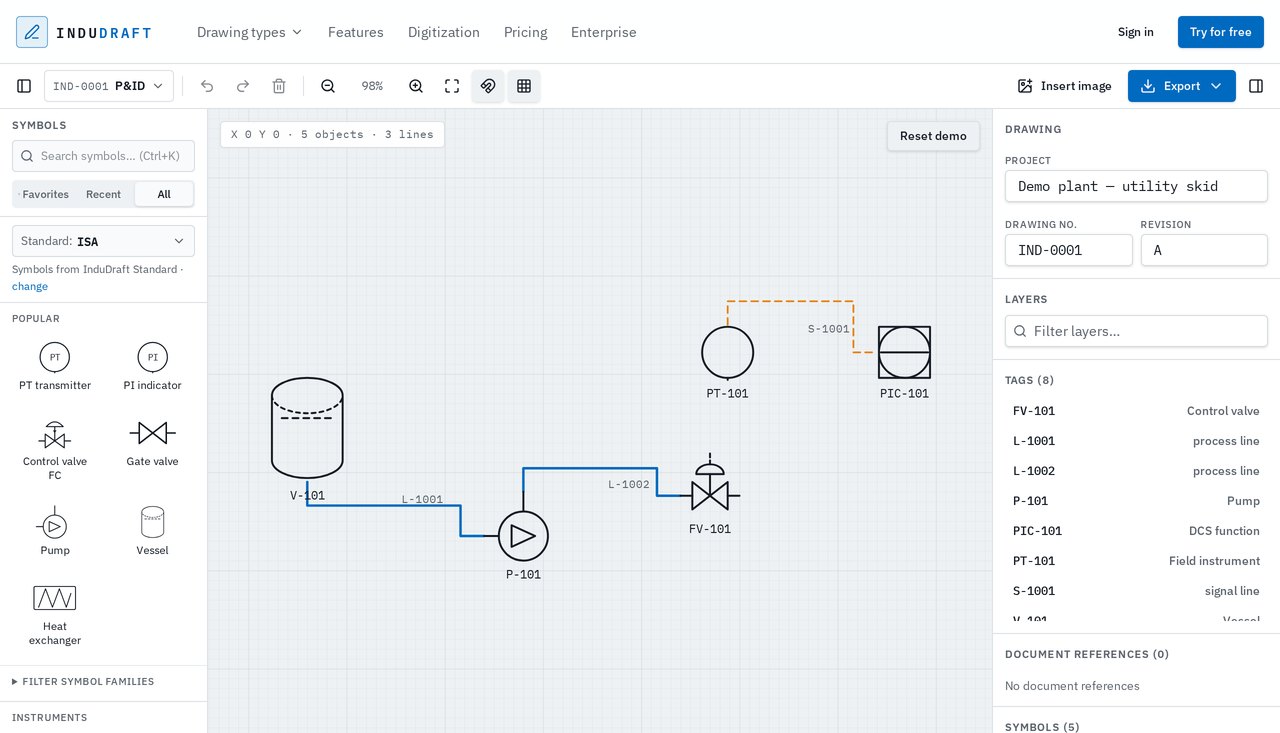
P&ID
Piping & Instrumentation Diagrams
Create and update P&IDs with dedicated symbols for equipment, valves and instruments. Connect your process, edit tags and keep drawing information organized.
Industrial drawing software
Create P&IDs, general arrangement drawings, electrical single-line diagrams and network diagrams in your browser. Use purpose-built tools and symbols from different libraries without changing your drawing type.
No installation. No account required to try.
Choose the drawing type that fits your work, then find and use symbols from across the available engineering libraries. Keep your drawing type unchanged while working with the symbols you need.
P&ID
Create and update P&IDs with dedicated symbols for equipment, valves and instruments. Connect your process, edit tags and keep drawing information organized.
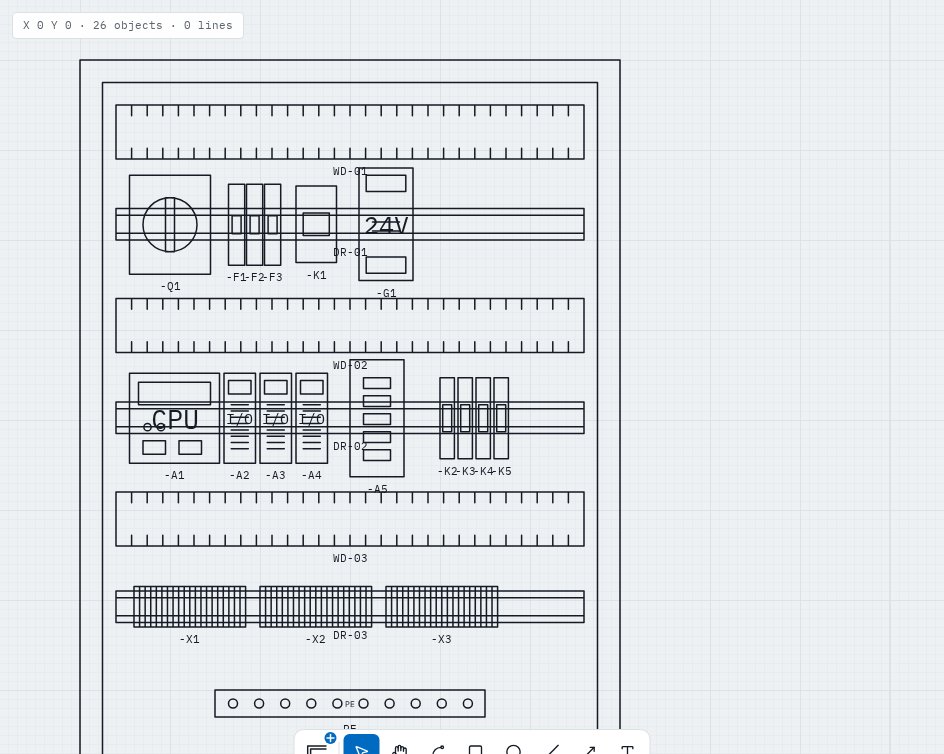
GA
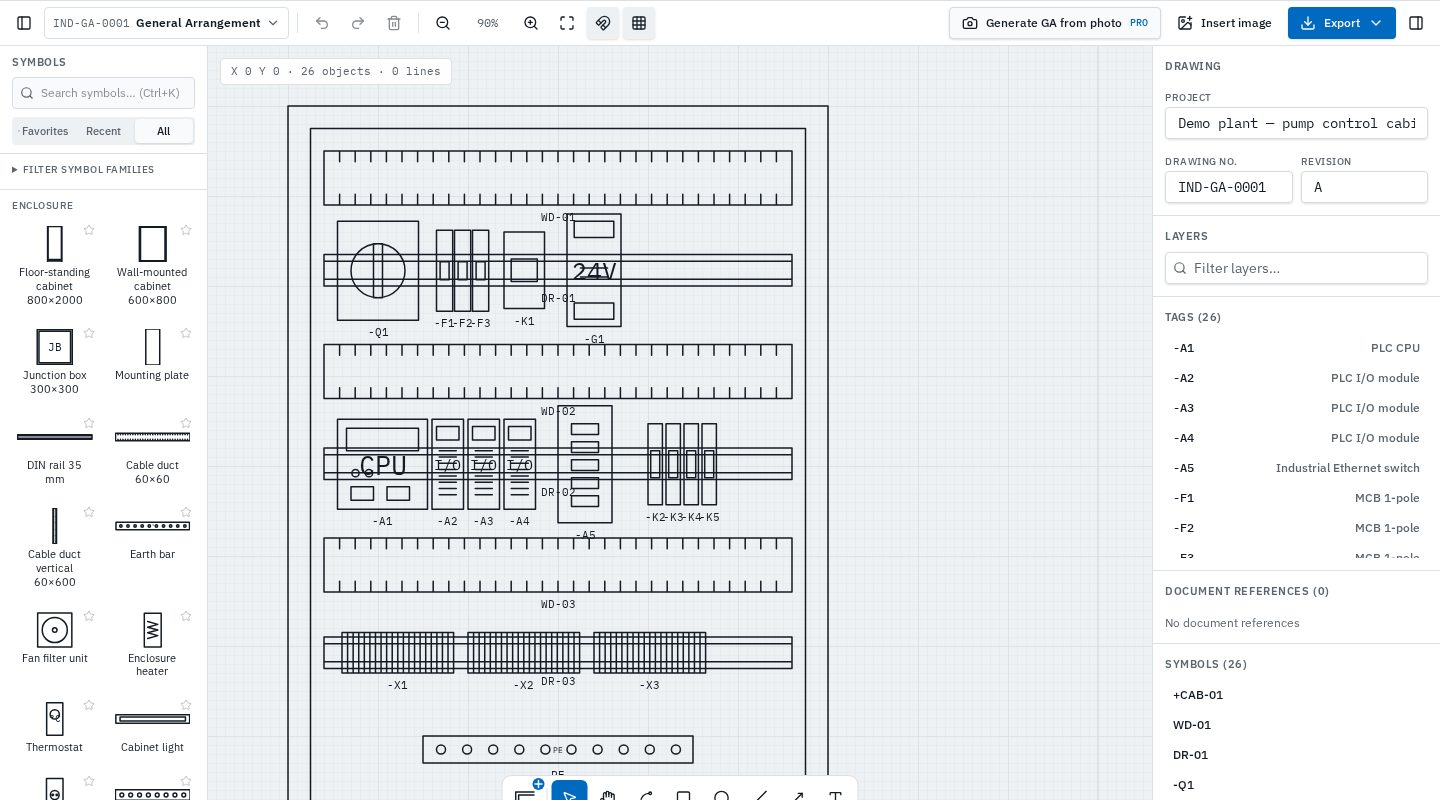
Design control cabinet layouts, equipment arrangements and plant layouts with ready-to-use components and real dimensions in millimetres.
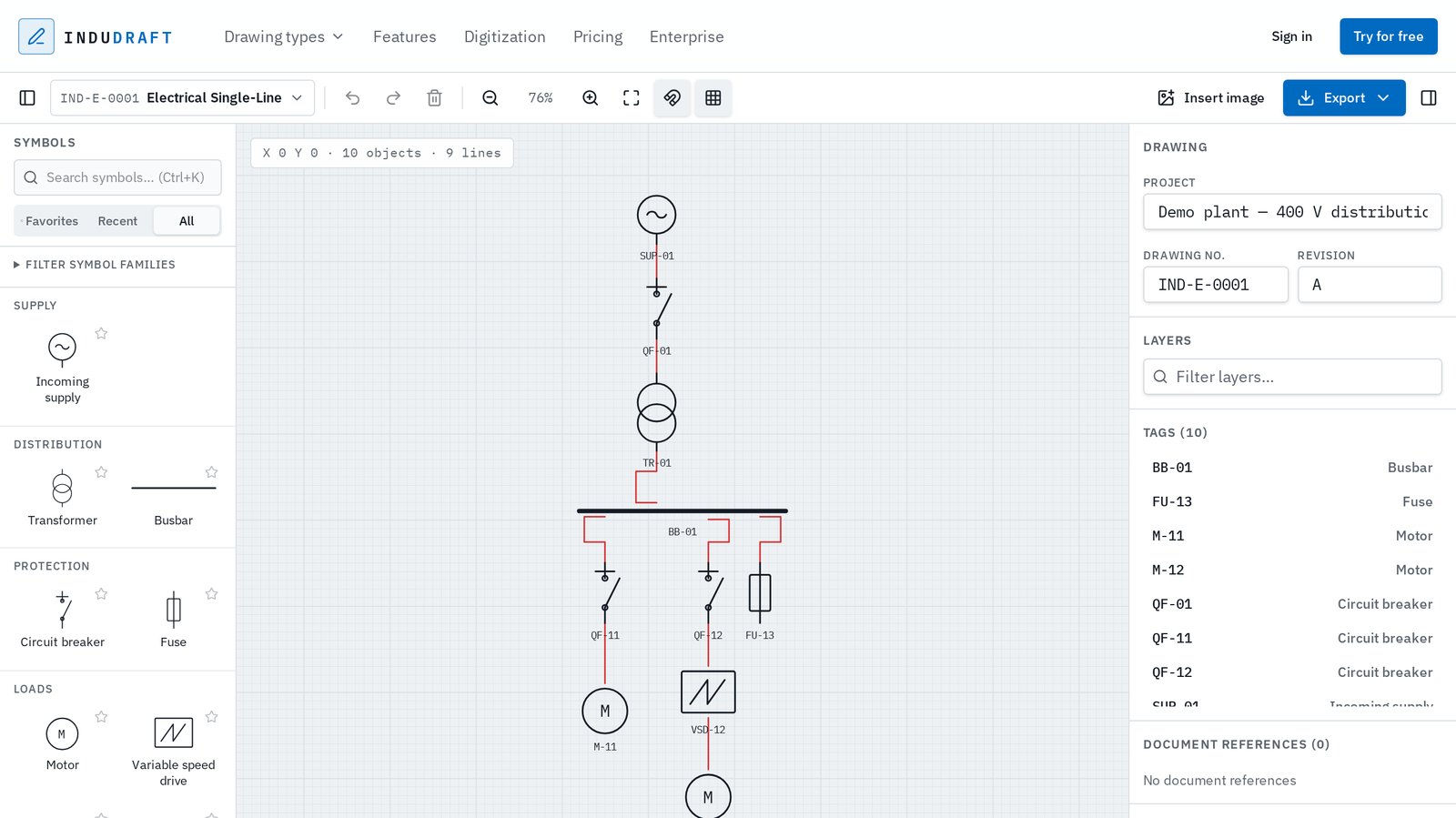
SLD
Build electrical single-line diagrams with symbols for distribution, protection and loads. Connect components and document your electrical system.
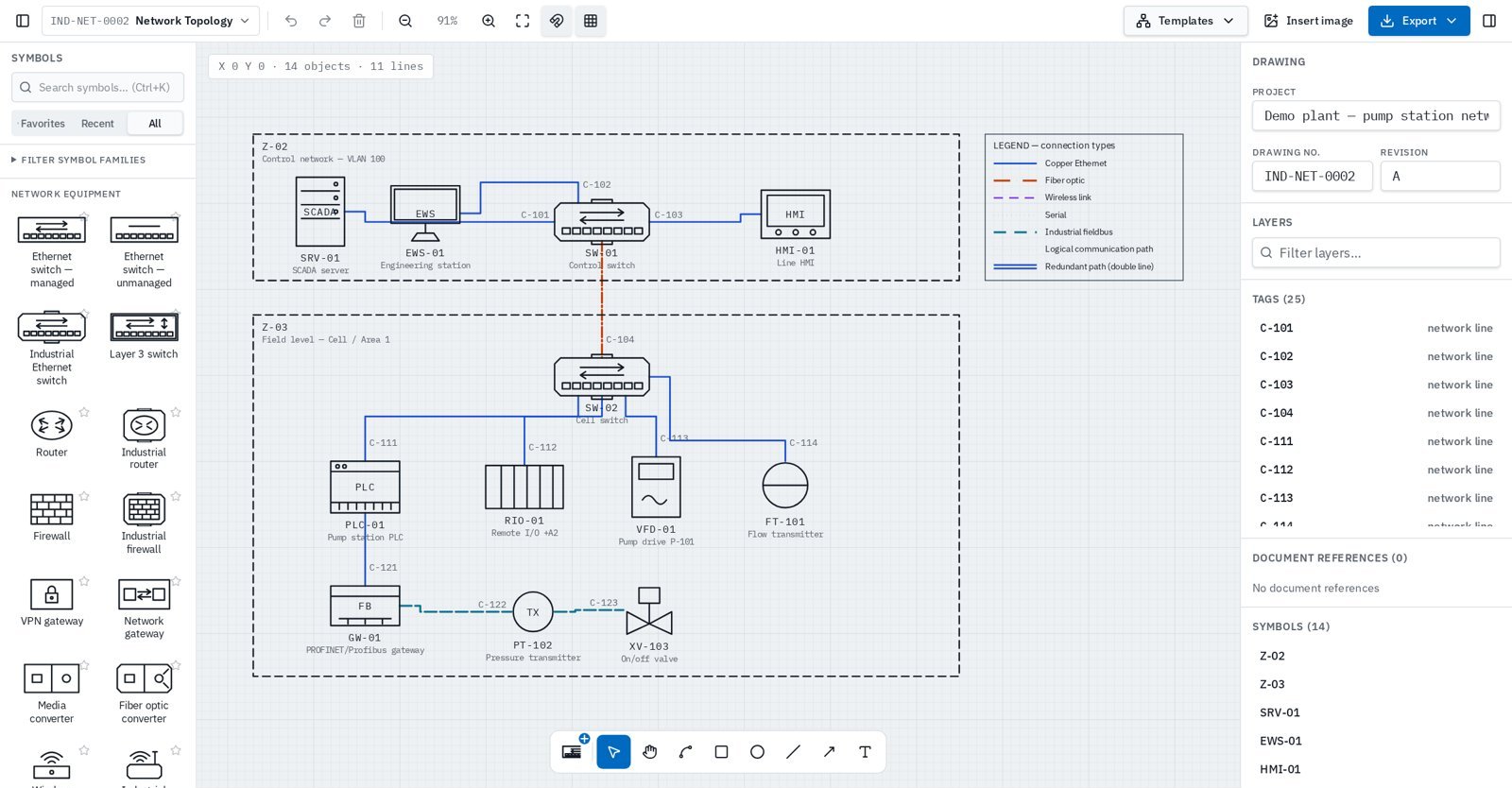
NET
Create clear IT and industrial network diagrams with dedicated equipment symbols, intelligent connections and structured documentation of devices, cables and zones.
Additional industrial drawing types, each with tools and libraries tailored to the task, are on the way.
Industrial drawings need more than boxes and lines. InduDraft brings the right symbols, tools and drawing information together in one straightforward workspace.
Start with symbols recommended for your drawing type, or explore other libraries and standards. Switching symbols never changes your drawing type.
Open your browser and get straight to work. No heavyweight installation or complicated CAD environment.
Search symbols, manage tags and properties, and use drawing tools designed around practical engineering workflows.
Prepare clear industrial drawings and export them in practical formats for documentation and downstream workflows.
Whether you’re starting from scratch or updating a drawing, InduDraft keeps the process straightforward.
Start with P&ID, General Arrangement, Electrical Single-Line or Network Topology.
Search and place symbols from the available engineering libraries without changing your drawing type.
Build your drawing, add connections and update the tags and properties relevant to your work.
Prepare your drawing for documentation, sharing or further CAD work using the available export formats.
Traditional CAD software is powerful, but not every industrial drawing needs a complex engineering environment.
Generic diagram tools may be simple, but they often lack the specialized symbols and workflows engineers expect.
InduDraft focuses on what matters for practical industrial drawing: the right tools, familiar engineering conventions and a straightforward way to get the job done.
Traditional CAD
InduDraft
Generic diagram tools
Industrial drawings follow different conventions depending on the discipline. InduDraft organizes its tools and symbol libraries around the drawing you’re creating, with references to relevant industry standards.
From instrumentation and process diagrams to electrical and general technical drawings, the goal is simple: give engineers familiar symbols and tools without making the software complicated.
Valves, actuators, pumps, vessels, heat exchangers and instrument bubbles.
Supplies, transformers, busbars, breakers, fuses, drives and motors.
Cabinets, DIN rails, cable ducts, PLCs, power supplies, protection, terminals and plant layout objects.
InduDraft symbols reference established industry conventions. InduDraft is not certified or endorsed by the referenced standards organizations. Read the standards guides.
Create your drawing in InduDraft, then choose the format that fits your workflow.
DWG exports contain editable 2D linework, not intelligent AutoCAD P&ID objects. PDF and image underlays help you trace; they do not become editable engineering objects.
Managed service
Have scanned P&IDs, PDFs or legacy drawings that need to be updated? Our digitization service rebuilds your existing documentation into editable InduDraft drawings.
From static documentation to drawings you can search, edit and maintain.
Explore drawing digitizationTry InduDraft for free and explore its industrial drawing tools. Upgrade when you need more drawings, organization or team collaboration.
InduDraft is currently in preview. Free accounts can save up to 3 drawings. Pro features require an active Pro subscription; the prices below describe the available plans.
$0
Try the editor without an account. Create a free account when you want to save your drawings.
$10 / month
For engineers who need to keep, organise and deliver drawings.
$20 / seat / month
For engineering teams working from shared drawings.
Keep your drawings organized, work across multiple projects and export in professional formats. Pro is designed for engineers who use InduDraft regularly.
$10/month, billed monthly. A Pro subscription unlocks unlimited saved drawings and Pro features.
Give your engineering team a shared place to create, access and manage technical drawings, with clear permissions and centralized administration.
$20/seat/month. The team owner pays for all seats.
Larger organisation? Talk to us about Enterprise.
InduDraft is a browser-based industrial drawing application designed for engineers and technical professionals. It combines straightforward drawing tools with specialized symbol libraries for different types of industrial documentation.
InduDraft supports P&IDs, general arrangement drawings, electrical single-line diagrams and network topology diagrams today. Each drawing type provides tools and libraries suited to its purpose. Instrument loop diagrams, hook-ups and cause-and-effect diagrams are planned.
InduDraft is designed to make industrial drawing more approachable, with a focused interface and relevant engineering tools. Familiarity with the technical drawing you’re creating is still helpful.
Yes. Open the demo editor directly in your browser without creating an account.
InduDraft’s symbol libraries reference relevant industry drawing conventions where applicable. The symbols are maintained by InduDraft and are not officially certified or endorsed by standards organizations.
Yes. DWG export requires Pro and produces editable 2D CAD geometry, not intelligent AutoCAD P&ID objects.
PDFs and images can be used as drawing underlays. They do not automatically become editable engineering objects. InduDraft also offers a managed digitization service for rebuilding legacy drawings.
InduDraft is designed for practical 2D industrial drawing work. It is not intended to replace advanced 3D plant design, electrical engineering calculations or comprehensive CAD databases.
The team owner pays for every seat, including their own. Editors, viewers and pending invitations each use one seat. Teammates get access through the owner — no separate subscriptions.
Yes. Free accounts can save up to 3 drawings. Pro includes unlimited saved drawings and Pro features; team members inherit Pro from the team owner.
From P&IDs and general arrangements to electrical diagrams and more, InduDraft makes industrial drawing simpler.
Open the free editorNo installation. No account required to try.